Phone Overheating
Why Is My Phone Overheating? Causes, Fixes and When to Get It Repaired
Some warmth during gaming, video recording, navigation, streaming or charging is normal. A phone that becomes unusually hot, stays hot while idle, overheats repeatedly, shows a temperature warning, shuts down, or gets hot around the battery or charging port may have an underlying software, battery, charging, environmental or hardware problem. Stop the demanding activity, unplug it, let it cool, and if the heat keeps coming back, have the phone diagnosed.
A phone can become warm during demanding tasks such as gaming, video recording, navigation, streaming, software updates, or charging. But if your phone becomes unusually hot, stays hot while idle, overheats repeatedly, shows a temperature warning, shuts down, or gets hot around the battery or charging port, there may be an underlying software, battery, charging, environmental, or hardware problem.
The first step is to stop demanding activity, move the phone away from direct heat, disconnect it from power if it is charging, and allow it to cool. If overheating keeps happening after basic troubleshooting, professional diagnosis can help determine whether the battery, charging system, software, or another internal component is responsible. Apple and Google both provide temperature management protections that can reduce performance, pause charging, or temporarily shut down a device when it becomes too hot.
Why Is My Phone Overheating?
Your phone may overheat because of heavy processor use, charging, direct sunlight, high ambient temperatures, background apps, weak cellular signal, software problems, a damaged battery, charging port problems, or other hardware faults.
Some warmth is normal. For example, Apple says an iPhone can become warm during setup, backup restoration, software updates, wireless charging, intensive games, processor intensive apps, camera use, and high quality video streaming. Google similarly notes that video calls, recording, streaming, navigation, hotspot use, large data transfers, and using demanding features while charging can make a phone warm.
The concern starts when the phone:
- Becomes extremely hot
- Stays hot after the activity stops
- Overheats while doing very little
- Gets unusually hot while charging
- Shuts down because of temperature
- Shows a temperature warning
- Has rapid battery drain at the same time
- Has a swollen battery or physical damage
If the overheating is persistent, don't assume that changing a charger or closing one app will solve the problem. The underlying cause may need to be diagnosed.
Is It Normal for a Phone to Get Warm?
Yes, some warmth is normal. Smartphones generate heat because the processor, battery, cameras, wireless radios, and other internal components consume energy while operating.
Your phone may feel warmer when you are:
- Playing graphics intensive games
- Recording or editing video
- Using GPS navigation
- Making long video calls
- Streaming high quality video
- Using a mobile hotspot
- Downloading or uploading large amounts of data
- Restoring a backup
- Installing a major software update
- Charging while performing demanding tasks
Apple says these situations can produce normal warmth, while Google explains that phones may become warm when the processor, cameras, radio antennas, and other components are working harder.
Normal warmth should generally decrease when the demanding activity stops. Persistent or unexplained heat is different.
What Is the Difference Between a Warm Phone and an Overheating Phone?
The difference is mainly the intensity, duration, and circumstances.
A Warm Phone
A phone that becomes warm during gaming or charging and cools down afterward may simply be working normally.
An Overheating Phone
Concern increases when the phone:
- Becomes too hot to comfortably handle
- Remains hot after you stop using it
- Overheats while sitting idle
- Frequently shuts down
- Stops charging because of temperature
- Shows a temperature warning
- Experiences major performance reductions
- Develops overheating after a drop or liquid exposure
Apple's thermal protections can temporarily change device behavior when temperatures become too high, including pausing charging or displaying a temperature warning. Google devices can similarly reduce performance, charging speed, or certain features and may shut down to cool.
Why Is My Phone Overheating While Charging?
Charging naturally generates some heat, but excessive heat during charging deserves attention. Possible causes include:
- Demanding apps running while charging
- Direct sunlight or a hot environment
- A damaged charging cable
- A problem with the charging connection
- A worn or damaged battery
- A charging port fault
- A software issue affecting power management
Asurion notes that fast charging naturally produces heat and that overheating around the charging port can indicate a charging port problem.
What Should You Do If Your Phone Gets Hot While Charging?
Stop demanding activities and place the phone in a cooler environment. If it remains excessively hot, disconnect it from power if it is safe to do so and allow it to cool.
Do not cover a hot phone with clothing, blankets, or other materials that can trap heat.
If overheating continues every time you charge the phone, the battery and charging system should be professionally evaluated. You can also have the charging system checked through CELLTECH charging port repair if the heat seems concentrated around the charging connection.
Why Is My Phone Overheating When I'm Not Using It?
A phone that becomes hot while sitting idle is more concerning than one that gets warm during gaming or streaming. Possible causes include:
- Background apps using significant resources
- A software process stuck in the background
- Continuous location activity
- Cloud syncing or data transfers
- Weak cellular signal
- Hotspot activity
- A software update or indexing process
- Battery problems
- Hardware faults
Google notes that battery drain and overheating can be connected and recommends investigating excessive battery use when a phone repeatedly becomes warm.
If the phone remains hot after you close demanding apps and restart it, don't continue ignoring the symptom. Persistent idle overheating is a good reason to have the device diagnosed. We cover this pattern in more depth in our guide on why a phone gets hot when not in use.
Can a Bad Battery Cause a Phone to Overheat?
Yes. A damaged or aging battery can be one possible cause of excessive heat. The battery is responsible for storing and delivering electrical energy, and battery condition can influence both temperature and battery performance.
Signs that overheating may be battery related include:
- Fast battery drain
- Unexpected shutdowns
- Phone becoming hot during normal use
- Phone becoming unusually hot while charging
- Battery percentage changing abnormally
- A swollen battery
- Screen or back cover lifting
Google notes that heat can accelerate battery drain and damage battery health, while repair guidance commonly identifies failing batteries as a possible cause of persistent overheating.
CELLTECH battery replacement can be relevant when diagnosis identifies the battery as the underlying problem.
Why Is My Phone Overheating With a New Battery?
A new battery does not automatically rule out overheating. If overheating started after a battery replacement, several possibilities should be considered:
- The battery itself may have a problem
- Another internal component may be generating excess heat
- A charging issue may be present
- A software process may be causing unusually high power consumption
- The phone may have another unrelated hardware fault
Don't assume that replacing the battery again is automatically the answer. The device should be tested to determine where the heat is actually coming from.
Can a Charging Port Cause a Phone to Overheat?
Yes, a charging problem can contribute to unusual heat, particularly around the charging connection. Potential issues can include:
- Debris affecting the connection
- A damaged charging port
- A worn connector
- A damaged charging cable
- Moisture or corrosion
- A charging system fault
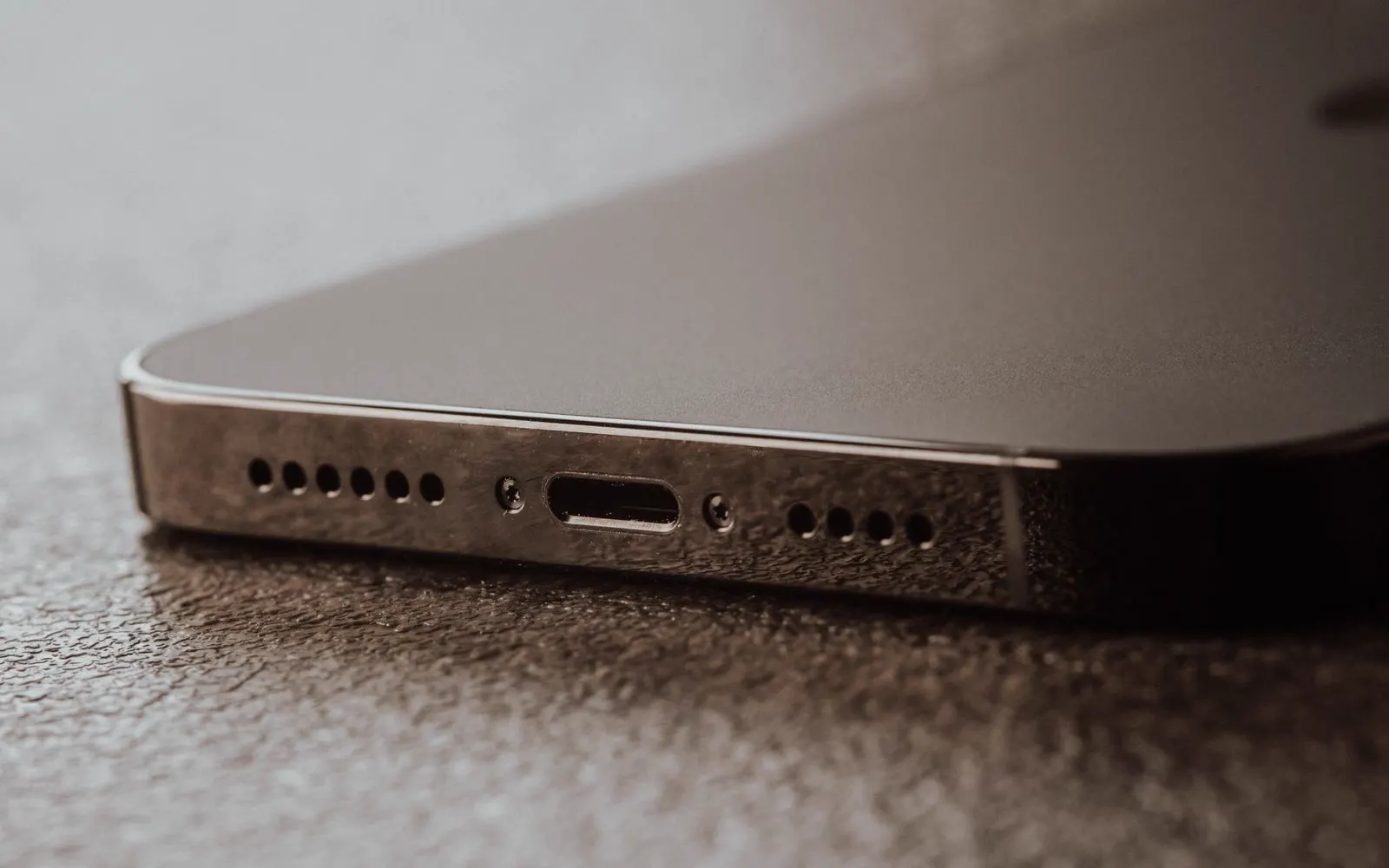
Google's support guidance says a USB-C port or charging cable that becomes too hot can trigger an "Unplug charger" warning, particularly when the phone detects excessive temperature, liquid, or debris.
If the hottest area of your phone is consistently near the charging port, don't automatically blame the battery. The charging system needs to be considered as part of the diagnosis.
Could a Damaged Charger Make My Phone Overheat?
It can. A faulty, damaged, or unsuitable charging accessory may contribute to charging and heat problems.
Before assuming your phone needs an internal repair, inspect the charging cable and adapter for visible damage and use the charging equipment recommended for your device. If your phone becomes unusually hot with multiple known good charging accessories, the problem may be inside the device rather than the charger.
Why Does My Phone Overheat While Gaming?
Gaming can generate significant heat because the processor and graphics hardware work harder. You may also have high processor load plus high screen brightness plus mobile data or Wi-Fi plus charging, all at once. That combination can produce much more heat than light everyday use.
Apple and Google both identify intensive apps and gaming as normal situations in which a phone may become warm. If the phone cools down when the game ends, that may be normal. If it becomes extremely hot during ordinary gaming, repeatedly shuts down, or remains hot long after the game ends, investigate further.
Why Does My Phone Overheat in Direct Sunlight or a Hot Car?
Environmental temperature can push a phone beyond its normal operating conditions. Apple says iPhone and iPad devices are designed for use in an ambient temperature range of 0°C to 35°C (32°F to 95°F) and warns that very hot conditions can permanently shorten battery life. Apple also specifically warns against leaving the device in a parked car because temperatures can exceed its storage range.
Google similarly recommends keeping phones out of direct sunlight and avoiding hot vehicles and poorly ventilated areas.
If your phone overheats after being left in a hot car, move it to a cooler environment and stop using it until it returns to a normal temperature. Don't try to cool it rapidly with extreme temperatures. Texas summers make this a common problem, so read our guide on protecting your phone during Texas summer heat for practical habits that help.
Can a Phone Overheat Because of a Weak Cellular Signal?
Yes, this can happen. When a phone struggles to maintain a reliable cellular connection, its wireless radios may work harder. This can become more noticeable when you're:
- In a weak signal area
- Traveling
- Using mobile data heavily
- Using GPS
- Running hotspot functionality
Asurion specifically identifies weak cellular signal as one possible contributor to overheating. If the phone becomes hot primarily in areas with poor reception but behaves normally elsewhere, the network environment may be part of the explanation.
Can Software Problems Cause Phone Overheating?
Yes. A software issue can cause an application or background process to use more processing power or battery than expected. Possible signs include:
- Overheating after installing an app
- Excessive battery drain
- Heat while the phone is idle
- Phone becoming hot after an update
- High battery usage from a particular app
- Repeated crashes or slow performance
Before assuming hardware damage, check battery usage and install available system and app updates. However, if the problem continues despite software troubleshooting, hardware should be considered.
How Do I Stop My Phone From Overheating?
Start with the safest and simplest checks.
Stop demanding apps
Close or stop activities such as gaming, video recording, navigation, streaming, and hotspot use.
Disconnect the charger
If the phone is excessively hot while charging, disconnect it from power when it is safe to do so.
Move the phone away from heat
Get it out of direct sunlight, a hot vehicle, or another hot environment.
Remove a heat trapping case
If your case is thick or poorly ventilated, temporarily remove it while the phone cools. Asurion specifically recommends removing cases that can trap heat.
Let the phone cool naturally
Place it somewhere cooler and well ventilated. Do not use extreme cooling methods.
Restart the phone
A restart can help when a temporary software process is responsible for abnormal resource usage.
Check battery usage
Look for an app consuming an unusually large amount of power.
Check for software updates
An outdated or malfunctioning app or operating system can contribute to unusual behavior.
Look for physical damage
Check whether the phone has a lifted screen, a separating back cover, a damaged charging port, signs of liquid exposure, a bent frame, or a swollen battery. If physical damage is present, move from troubleshooting to professional diagnosis.
What Should You NOT Do When Your Phone Is Overheating?
Avoid methods that can create additional damage.
Don't Put a Hot Phone in a Freezer
Rapid temperature changes and condensation can introduce additional problems.
Don't Use Ice Directly on the Phone
Direct contact with ice can create condensation and expose the device to sudden temperature changes.
Don't Keep Charging an Extremely Hot Phone
If the phone is already excessively hot, stop charging and allow it to cool.
Don't Continue Gaming on an Overheating Phone
Continuing the activity that generated excessive heat makes it harder for the phone to cool.
Don't Ignore a Swollen Battery
A bulging battery is not the same as ordinary heat from heavy use. Stop normal use and arrange professional battery inspection.
Don't Open the Phone Just to Find the Heat Source
Internal diagnosis requires appropriate tools and repair procedures. Opening the phone without the right equipment can create additional damage.
How Can You Tell Where the Heat Is Coming From?
The location and timing of the heat can provide useful clues.
Heat Around the Charging Port
Consider the charging cable, charging port, moisture, debris, or charging circuitry.
Heat Around the Battery Area
Battery condition becomes more relevant, particularly when combined with fast battery drain or swelling.
Heat Near the Processor
Heavy applications, gaming, video processing, navigation, or background software activity may be responsible.
Heat After Water Damage
Liquid exposure can affect the battery, charging system, board, and other components.
Heat After a Drop
Physical damage can affect internal hardware even when the external damage appears minor.
The location of the heat is useful information, but it does not prove which component has failed. Professional diagnosis may still be necessary.
Can Water Damage Cause a Phone to Overheat?
Yes. Liquid exposure can affect multiple internal systems, including the battery, charging circuitry, connectors, and other components. A phone may initially appear normal after getting wet and later develop:
- Heat
- Battery drain
- Charging problems
- Random restarts
- Screen issues
- Camera problems
- Audio problems
- Complete power failure
CELLTECH's water damage guidance specifically lists unusual warmth alongside battery and power symptoms that can occur after liquid exposure and recommends inspection when problems continue.
If your phone starts overheating after water, coffee, soda, pool water, or another liquid exposure, don't treat it as an ordinary overheating problem. Bring it in for CELLTECH water damage repair so the battery, charging circuitry and board can all be checked.
Can a Phone Overheat After Being Dropped?
It can. A drop can damage the battery, charging system, connectors, or other internal hardware. The phone may continue working after the impact while developing a new symptom. A typical sequence: the phone is dropped, it still works, then the battery drains faster, the phone becomes hot, and charging becomes unreliable.
That pattern is a reason for professional inspection rather than simply changing settings. If overheating began after physical damage, tell the repair technician exactly what happened when you bring it in for CELLTECH phone repair.
Can Overheating Damage My Phone?
Repeated or prolonged excessive heat can affect battery performance and device behavior. Apple warns that using an iPhone or iPad in very hot conditions can permanently shorten battery life. Google also explains that phones can reduce performance, slow charging, disable certain features, or shut down when temperatures become too high.
Your phone's built in thermal management is designed to help protect the device, but frequent overheating is still a problem worth investigating. The goal shouldn't simply be to make the phone feel cooler. The goal is to identify why it keeps getting hot.
When Should You Get Professional Phone Repair?
Not every warm phone needs a repair. Professional diagnosis becomes more appropriate when:
Your Phone Overheats While Idle
A phone that repeatedly gets hot while doing very little should be investigated.
It Gets Hot During Normal Everyday Use
If simple activities such as messaging, browsing, or light calls cause excessive heat, something may be wrong.
It Overheats Every Time You Charge It
Repeated charging related overheating may point toward the battery, charging port, cable, or charging system.
The Phone Has a Swollen Battery
Stop normal use and seek professional battery service.
The Problem Started After a Drop
Internal damage may not be visible.
The Phone Was Exposed to Liquid
Heat after liquid exposure can be a warning sign of internal damage.
The Phone Frequently Shuts Down
Thermal shutdowns or repeated unexpected shutdowns deserve diagnosis rather than repeated restarting.
Basic Troubleshooting Hasn't Worked
If closing apps, restarting, cooling the phone, and checking the charging setup don't solve the problem, professional diagnosis can identify whether hardware is involved.
Does an Overheating Phone Need a Battery Replacement?
Not automatically. A battery replacement only makes sense when diagnosis identifies the battery as the likely cause. Other possible causes include:
- Charging port damage
- Charging circuitry
- Software problems
- Background applications
- Liquid damage
- Physical impact
- Other internal hardware faults
Replacing the battery without identifying the source of the heat can leave the original problem unresolved. CELLTECH's repair approach is to inspect the device and determine what is actually affected before recommending the repair.
Is It Worth Repairing an Overheating Phone?
That depends on the cause and the overall condition of the phone.
Repair May Make Sense When
- The phone is otherwise in good condition.
- The problem is limited to one repairable component.
- The repair cost is reasonable.
- You still want to keep the device.
Replacement May Make More Sense When
- Multiple major components have failed.
- The phone already has significant damage.
- The repair cost approaches the value of another suitable device.
- The phone is already near the end of its useful life.
A professional diagnosis and quote give you the information needed to compare repair with replacement instead of guessing.
How CELLTECH Can Help With an Overheating Phone
You don't need to determine whether the battery, charging port, software, or another component is responsible before contacting CELLTECH. Tell the team what you're experiencing. For example:
- "My phone gets extremely hot while charging."
- "My iPhone overheats even when I'm not using it."
- "My phone started overheating after I dropped it."
- "My phone got wet and now it's getting hot."
- "The phone is hot and the battery is draining very quickly."
Those details help connect the symptom to the diagnostic process.
Device Inspection
CELLTECH can inspect the phone and consider the symptoms together rather than automatically replacing the first component that seems related. The diagnostic is free, and inspection always comes before any recommendation.
Battery Diagnosis
If the battery is responsible, a phone battery replacement can be the relevant repair path.
Charging System Diagnosis
If the heat is concentrated around the charging connection, a charging port repair may be relevant after diagnosis.
Liquid Damage Diagnosis
If overheating began after liquid exposure, liquid damage inspection and repair is the more appropriate service pathway.
Repair Quote
CELLTECH's service process provides repair options and pricing before repair work is approved. Most repairs are completed the same day when the part is in stock, and qualifying repairs carry a 90 day malfunction warranty. You can get a repair quote online before you visit.
Where Can You Get Help for an Overheating Phone?
CELLTECH has seven walk in repair stores across Texas, including North East Mall in Hurst, Grand Prairie Premium Outlets and Cielo Vista Mall in El Paso. For an overheating problem, the most useful step is to bring the phone in for evaluation rather than trying to identify the failed component yourself. Find your nearest CELLTECH store to get started.
Frequently Asked Questions About Phone Overheating
Common causes include demanding apps, charging, direct sunlight, high ambient temperatures, background activity, weak cellular signal, software problems, battery issues, and charging system problems. Persistent overheating should be diagnosed rather than ignored.
Background apps, syncing, weak signal, software processes, battery problems, or hardware faults can cause heat even when the screen is off. Check battery usage and restart the phone; persistent idle overheating may require professional diagnosis.
Charging naturally creates some heat, but excessive heat can be related to demanding activity, a hot environment, battery issues, a damaged cable, or a charging port problem. If it repeatedly becomes very hot during charging, have the charging system inspected.
Yes. A damaged or aging battery can contribute to excessive heat, particularly when combined with fast battery drain, unexpected shutdowns, or swelling. A battery should be replaced only after the cause has been properly identified.
Gaming uses significant processor and graphics resources, which can naturally make a phone warm. If the phone remains excessively hot after gaming stops, repeatedly shuts down, or overheats during light use, further diagnosis may be appropriate.
Yes. Liquid exposure can affect the battery, charging system, connectors, or other internal components. If overheating began after a spill or submersion, professional inspection is recommended.
Yes. Physical impact can damage internal components even when the phone still appears to work. If overheating started after a drop, mention the impact when requesting a repair diagnosis.
Stop demanding activities and charging when the phone becomes excessively hot, move it away from heat, and allow it to cool. If it repeatedly overheats, shows a temperature warning, shuts down, or has signs of battery swelling or other physical damage, seek professional assistance. Apple and Google both advise cooling the device and provide thermal protections when temperatures become too high.
No. Overheating can come from software, demanding apps, environmental heat, charging problems, liquid damage, physical damage, the battery, or another internal component. Diagnosis should come before replacing a part.
CELLTECH can inspect supported devices to determine what may be causing the overheating and explain available repair options. Depending on the diagnosis, the relevant service could include battery replacement, charging port repair, water damage repair, or another device repair.
Is Your Phone Overheating Repeatedly? Get It Checked
A phone getting warm during gaming, charging, navigation, streaming, or other demanding activities can be normal. The bigger concern is unexplained, repeated, or excessive heat.
If your phone becomes hot while idle, overheats during normal use, gets unusually hot while charging, shuts down, develops rapid battery drain, or started overheating after a drop or liquid exposure, don't keep guessing at the cause. Start with safe troubleshooting and allow the phone to cool. If the problem continues, professional diagnosis can determine whether the issue involves the battery, charging system, liquid damage, software, or another internal component.
CELLTECH can inspect the device, explain the available repair options, and provide a quote before you decide whether repair makes sense. Book a repair appointment or contact the CELLTECH team and walk in when it suits you.
Related guides: why your phone turns off with battery left, is it safe to use a phone with a swollen battery and why your phone keeps restarting randomly.